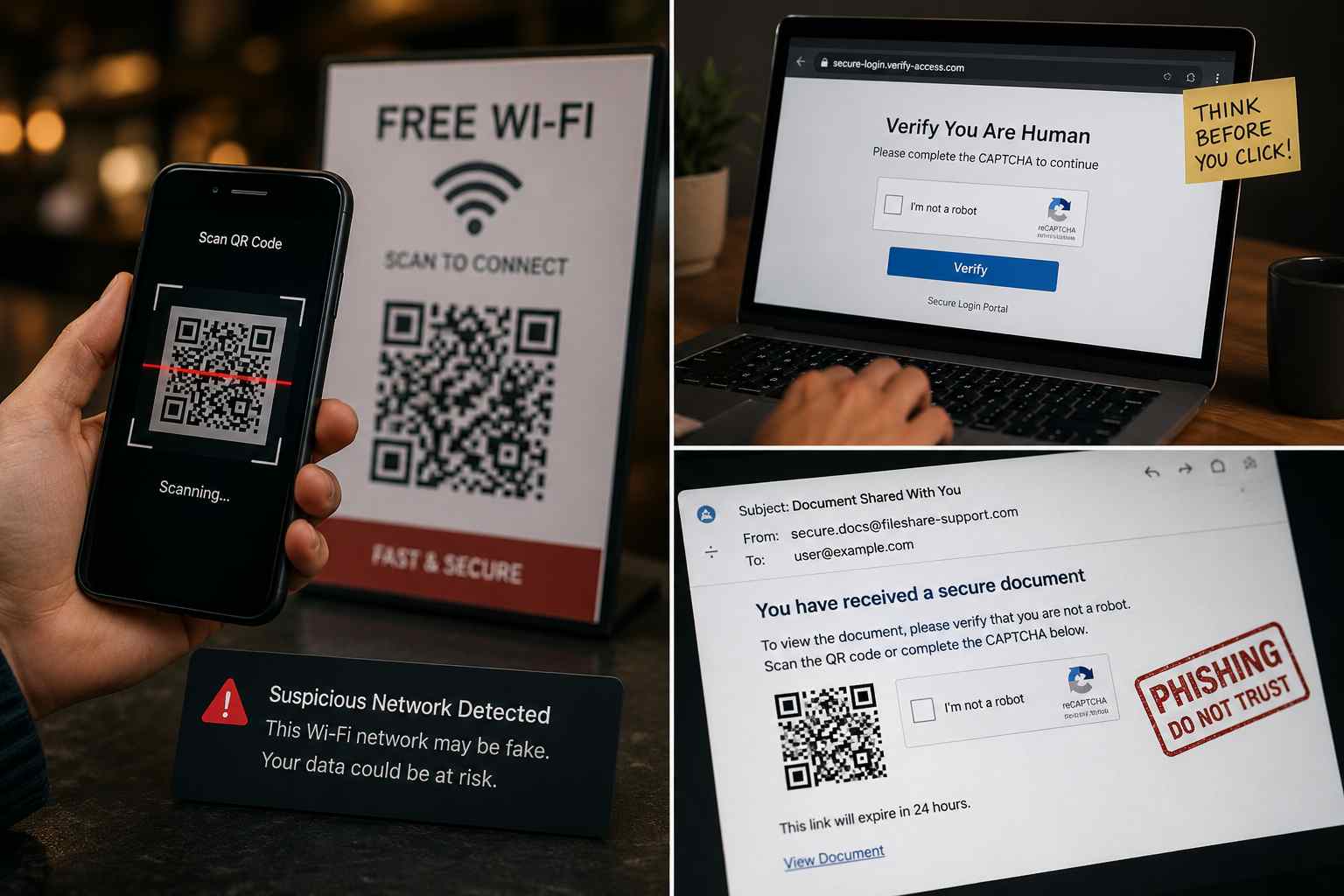
QR codes used to feel harmless. You scanned one to view a menu, pay for parking, open an event ticket, or confirm a delivery.
That everyday comfort is exactly why scammers like them.
Microsoft’s Q1 2026 email threat research found that QR code phishing became one of the fastest-growing email attack methods during the quarter. The goal is simple: get an employee to scan a code, open a fake login page on a phone, and enter a Microsoft 365 password or approval code before realizing anything is wrong.
For a small business, this is not just an IT problem. A stolen email login can lead to invoice fraud, customer data exposure, payroll scams, and days of cleanup.
Traditional phishing emails often include suspicious links. Many employees have learned to hover over links, check the sender, and pause before clicking.
QR codes change the routine.
The employee may receive an email on a work computer, then scan the QR code with a personal phone. That moves the attack away from the protected work device and into a less-controlled environment. Some scams also use fake CAPTCHA pages, which make the process feel more normal because users are used to proving they are “not a robot.”
The scam may look like:
The danger is not the QR code itself. The danger is where it sends the employee and what the page asks them to enter.
Small businesses often run on email. Quotes, invoices, bank details, client documents, calendar invites, and password resets all flow through the inbox.
If one account is stolen, a criminal may be able to:
That is why email security and account security need to work together. Spam filtering helps, but it cannot be the only line of defense.
Start with a simple rule: employees should not scan QR codes from unexpected emails unless they can verify the request through another trusted channel.
A few practical steps help immediately:
Many scams become expensive only after someone acts quickly. A QR code login theft may be the first step, but the financial damage often comes later through a fake invoice, changed bank details, or an urgent message from a “manager.”
Build a simple approval routine:
This is not bureaucracy. It is a safety rail.


Himala and his team at Cybernetic Networks have been amazing. We have been a customer of Cybernetic Networks for well over 14 years now, both personally and professionally. Himala and his team are professional, reachable and on the cutting edge of technology. We have enjoyed doing business with Cybernetic Networks for many years and still rely on their knowledge, skills and technology every day
Himala and his Cybernetic team have never let me down! For over 10 years now they have been fixing my technical issues, set up all my new networks and computers and have safeguarded me from any hackers or malware. You can trust this company to navigate you as your company grows and to keep you on track with the latest in security and safety
I am a solo practicing neurologist and have had all my IT needs covered through Cybernetic Networks since 2007. They are the best! All of their tech support staff is extremely knowledgeable and efficient. Just as importantly, they are quickly responsive whenever we need their assistance. I couldn’t be happier with their service and give them my highest recommendation!
I couldn't be happier with Cybernetics - they are experts, always respond quickly , and solves any issues I have.
Cybernetic Networks has been advising and supporting all our IT issues and purchases for the last 18 years. They are very responsive and extremely knowledgeable- always providing us with timely services.
It is not often you find small business companies that are not only rewarding to work with, but also have integrity, truth and skill. I have worked with this company for over 20 years, and the service is outstanding. I can easily recommend that if you need an IT company, this is the one to get. Full STOP! Look no further, you will be happy that you did. Sue Myhelic, Gulf Breeze Real Estate, Naples, Florida.
Himala and his team from Cybernetic Networks, Inc. has been an integral part of our successful retail business for the past 20 years. He is extraordinarily knowledgable and always available for our IT needs. Thanks to Himala and his team we are always up and running.




