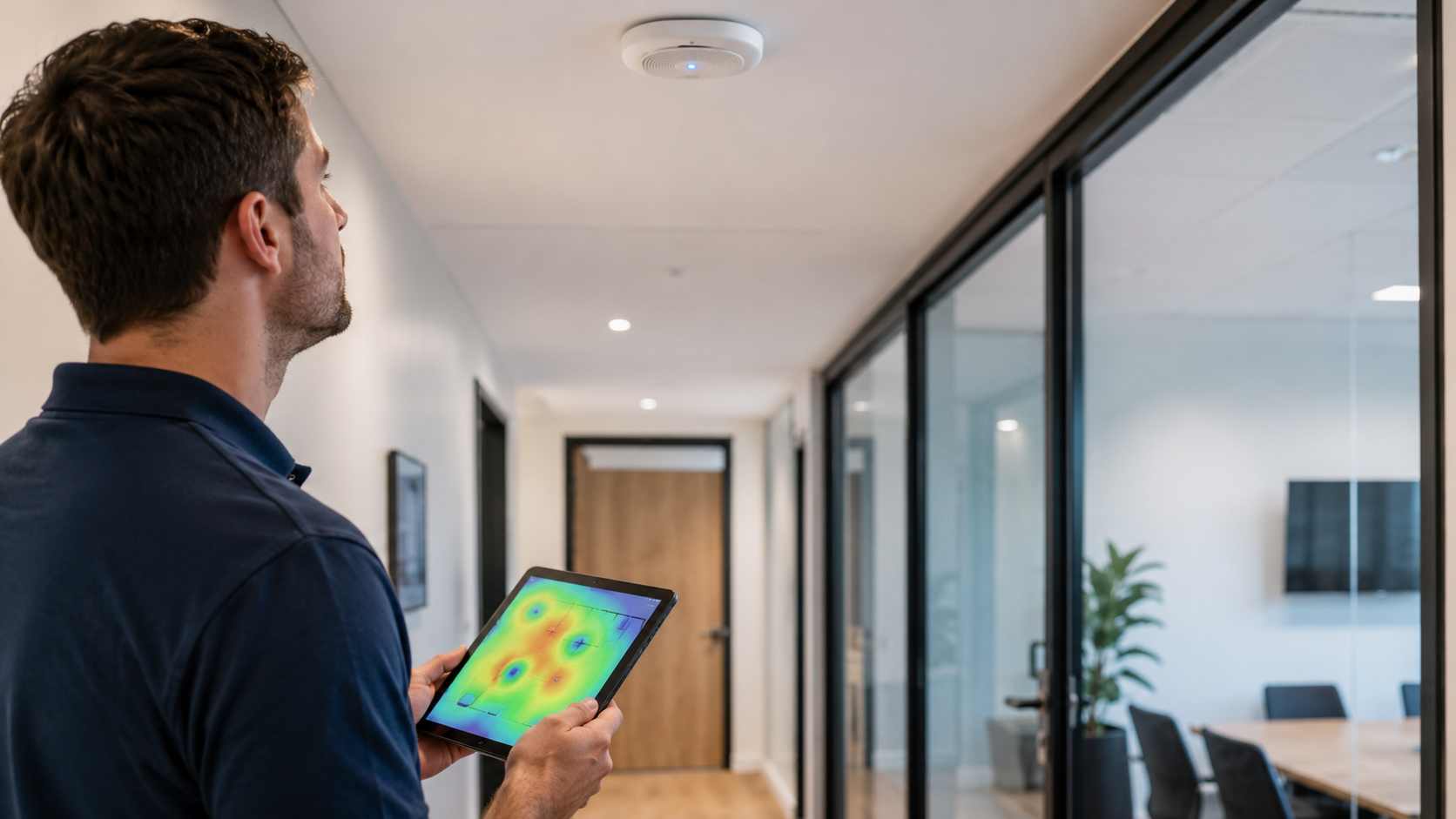
Slow Wi-Fi is one of the most common technology frustrations in a small office. It is also one of the easiest problems to underestimate.
At first, it may look like a small annoyance. A video call freezes. A cloud app takes too long to load. A file upload fails. A credit card terminal reconnects. An employee walks to another part of the office just to get a better signal.
Over time, those little interruptions add up. Staff lose focus. Customers wait longer. Meetings become harder. People blame the app, the laptop, or the internet provider, even when the real issue is the office network.
One confusing thing about Wi-Fi is that signal bars do not tell the whole story.
A laptop may show a strong signal and still have poor performance. That can happen because too many devices are sharing the same wireless access point, the office has interference, the equipment is old, or the internet connection is fine but the internal network is poorly arranged.
Video calls are especially sensitive. Microsoft’s own support guidance notes that poor internet connection can cause low-quality audio and video, delays, and dropped calls. Microsoft also recommends that organizations prepare and monitor their networks for Teams, especially when Wi-Fi is part of daily calling.
In simple terms: Wi-Fi is not just about “having internet.” It is about having a stable connection that can support the way your team actually works.
Most office Wi-Fi problems come from a few familiar issues.
One access point is trying to cover too much space. This is common in offices that grew over time. The Wi-Fi worked when there were five people, but now there are more laptops, phones, printers, tablets, security cameras, and guest devices.
The equipment is in the wrong location. A router tucked in a closet, behind metal shelves, or near electrical equipment may not provide reliable coverage.
The network is crowded. Nearby businesses, neighboring suites, and guest devices can all add wireless noise.
The internet plan is not the real problem. Many businesses upgrade internet speed before checking whether the Wi-Fi equipment can actually deliver that speed throughout the office.
Old devices are slowing things down. Older laptops, printers, and network equipment may still connect, but they may not perform well with modern cloud applications.
Guest Wi-Fi is mixed with business Wi-Fi. If visitors and personal devices share the same network as work systems, performance and security can both suffer.
Slow Wi-Fi is not only a comfort issue. It affects real business operations.
If your team uses Microsoft 365, QuickBooks Online, cloud-based scheduling, VoIP phones, payment systems, security cameras, or shared files, the network is part of the workflow. When the network struggles, the whole office feels it.
A slow or unstable wireless network can cause:
That is why Wi-Fi should be treated as business infrastructure, not just a convenience.
Start by noticing patterns. Does the Wi-Fi slow down in one room, during certain hours, or when everyone joins meetings? Does the problem affect all devices or only one laptop? These clues help narrow down the cause.
Next, restart carefully but do not rely on restarts as the long-term fix. Restarting a router may temporarily clear a problem, but if the issue keeps returning, something deeper needs attention.
Check where the equipment is located. A wireless router or access point should not be hidden behind furniture, buried in a closet, or placed near heavy interference.
Separate business and guest Wi-Fi. Guests should have internet access without sharing the same network as company computers, servers, printers, or payment systems.
Update network equipment. Routers, firewalls, switches, and access points need updates just like computers do. Outdated equipment can create both performance and security problems.
Look beyond internet speed. A faster internet plan will not fix poor access point placement, weak cabling, overloaded equipment, or an old firewall.
If Wi-Fi problems keep coming back, a proper network review can save time. An IT provider can check signal coverage, device load, cabling, firewall performance, access point placement, guest network separation, and whether your equipment is still appropriate for the size of your business.
For many small businesses, the answer is not simply “buy a bigger router.” The better answer may be properly placed business-grade access points, cleaner network organization, updated equipment, and ongoing monitoring.
That kind of setup helps prevent the same issue from returning every few weeks.


Himala and his team at Cybernetic Networks have been amazing. We have been a customer of Cybernetic Networks for well over 14 years now, both personally and professionally. Himala and his team are professional, reachable and on the cutting edge of technology. We have enjoyed doing business with Cybernetic Networks for many years and still rely on their knowledge, skills and technology every day
Himala and his Cybernetic team have never let me down! For over 10 years now they have been fixing my technical issues, set up all my new networks and computers and have safeguarded me from any hackers or malware. You can trust this company to navigate you as your company grows and to keep you on track with the latest in security and safety
I am a solo practicing neurologist and have had all my IT needs covered through Cybernetic Networks since 2007. They are the best! All of their tech support staff is extremely knowledgeable and efficient. Just as importantly, they are quickly responsive whenever we need their assistance. I couldn’t be happier with their service and give them my highest recommendation!
I couldn't be happier with Cybernetics - they are experts, always respond quickly , and solves any issues I have.
Cybernetic Networks has been advising and supporting all our IT issues and purchases for the last 18 years. They are very responsive and extremely knowledgeable- always providing us with timely services.
It is not often you find small business companies that are not only rewarding to work with, but also have integrity, truth and skill. I have worked with this company for over 20 years, and the service is outstanding. I can easily recommend that if you need an IT company, this is the one to get. Full STOP! Look no further, you will be happy that you did. Sue Myhelic, Gulf Breeze Real Estate, Naples, Florida.
Himala and his team from Cybernetic Networks, Inc. has been an integral part of our successful retail business for the past 20 years. He is extraordinarily knowledgable and always available for our IT needs. Thanks to Himala and his team we are always up and running.




