October is Cybersecurity Awareness Month, but this year Microsoft has given businesses a particularly concrete reason to review how employees sign in.
Microsoft is moving Entra ID users away from built-in text-message and voice-call authentication and toward passkeys and other phishing-resistant sign-in methods. For most affected users, Microsoft-provided SMS and voice authentication is scheduled to retire on February 1, 2027. Global Administrators and external users have a later deadline of July 1, 2027.
For small businesses using Microsoft 365, this is both a security improvement and a change that needs to be managed before employees are surprised by a new sign-in requirement.
Since September 1, 2026, Microsoft has been automatically enabling eligible SMS and voice users for passkey registration and prompting them to create a passkey when they sign in.
Beginning February 1, 2027, most users who still rely solely on Microsoft-provided text messages or voice calls will no longer be able to use those methods normally. Microsoft says affected users may receive a blocking prompt requiring them to register a passkey before they can continue signing in.
That could affect access to Outlook, Teams, OneDrive, SharePoint, and other Microsoft 365 services.
Microsoft will allow organizations with a genuine operational or regulatory need to obtain SMS or voice delivery from an outside telephony provider. However, Microsoft recommends passkeys as the primary migration path.
Multifactor authentication, or MFA, adds another verification step beyond a password. Even basic MFA is considerably safer than relying on a password alone.
However, not every MFA method offers the same protection.
A criminal can sometimes trick an employee into entering a texted code on a fake sign-in page. Phone numbers can also be targeted through account-transfer scams commonly called SIM swapping. Voice calls and repeated approval prompts create additional opportunities for social engineering.
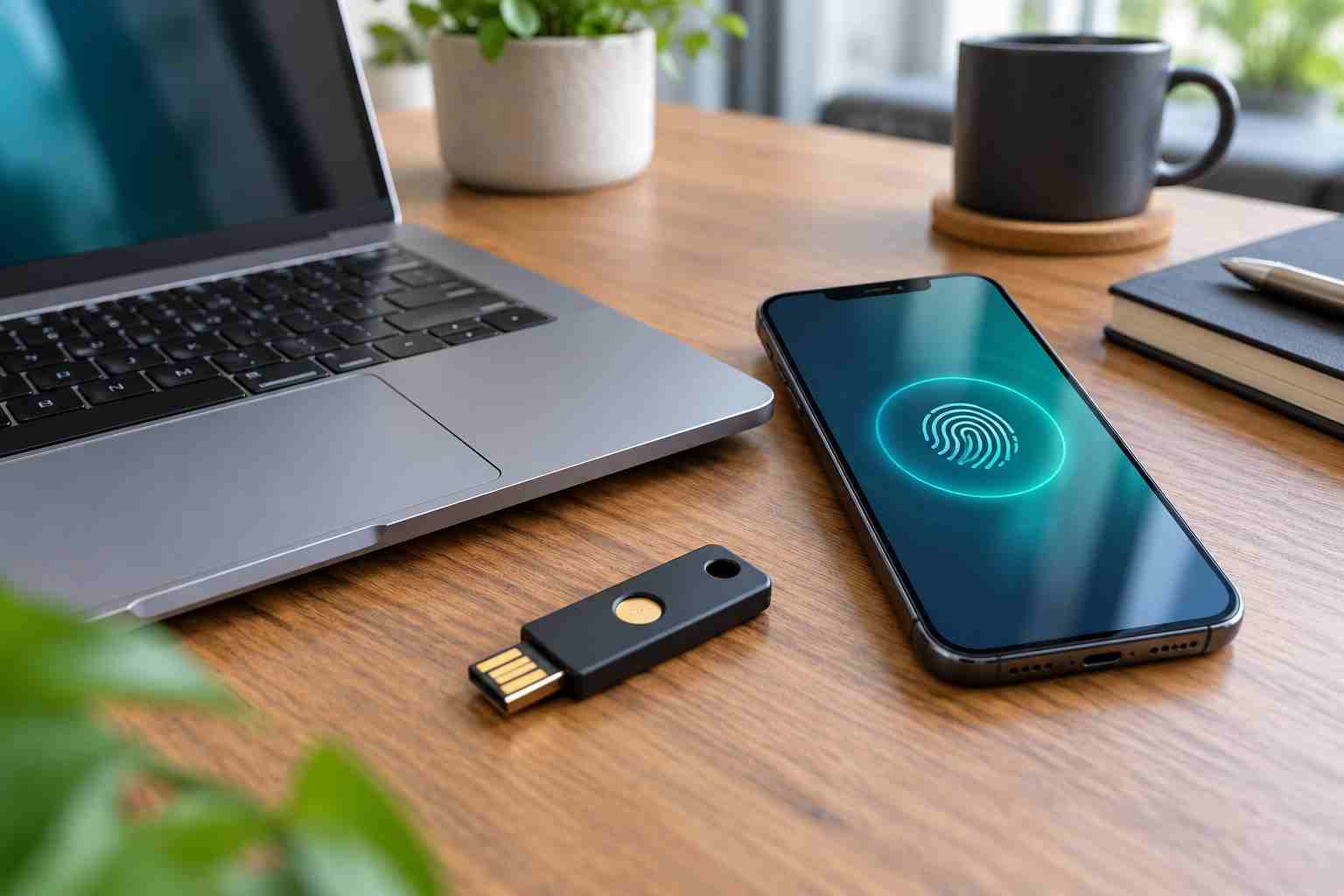
A passkey works differently. It uses a secure digital credential connected to an approved device, password manager, authenticator, or hardware security key. The employee normally unlocks it with a fingerprint, facial recognition, or device PIN.
Because the passkey is tied to the legitimate website or application, it is much harder to surrender accidentally to a fake Microsoft sign-in page.
This change should not be handled as a last-minute software update.
Businesses need to know which employees still use text messages or calls, which devices they use, and what will happen if a phone is lost or replaced. Owners should also consider shared computers, remote workers, temporary employees, outside accountants, and vendors who access Microsoft 365 resources.
An unplanned rollout can create avoidable problems:
The goal is stronger security without interrupting the workday.
Ask your IT provider to review the authentication methods registered for Microsoft 365 users. Pay special attention to owners, administrators, accounting staff, executives, and anyone with access to sensitive customer or financial information.
Microsoft supports several options, including passkeys stored on devices, passkeys in Microsoft Authenticator, Windows Hello, and physical FIDO2 security keys.
There is no single best choice for every employee. A hardware key may make sense for an administrator or regulated business, while an approved device-based passkey may be more practical for other staff.
Begin with several employees representing different work situations. Include someone who works remotely, someone who uses a mobile device, and someone who regularly needs IT assistance.
A pilot helps uncover device compatibility, training, and recovery issues before the change reaches the whole company.
Decide how an employee’s identity will be verified when a phone is replaced, a laptop fails, or a security key disappears. Recovery should be secure enough to stop impersonators but practical enough to keep legitimate employees working.
Businesses should also remove old sign-in credentials promptly when employees leave.
Tell staff what a passkey is, why Microsoft is making the change, and what a legitimate registration prompt should look like. Employees should know not to follow unexpected sign-in instructions sent through unsolicited email, text messages, or phone calls.
Provide a clear date and a trusted person or support channel for questions.
The February deadline may appear comfortably distant, but identity changes take time. Small businesses need room to test devices, support employees, correct failed registrations, and review recovery procedures.
A gradual rollout is far less disruptive than trying to help the entire company after sign-in prompts become mandatory.


Himala and his team at Cybernetic Networks have been amazing. We have been a customer of Cybernetic Networks for well over 14 years now, both personally and professionally. Himala and his team are professional, reachable and on the cutting edge of technology. We have enjoyed doing business with Cybernetic Networks for many years and still rely on their knowledge, skills and technology every day
Himala and his Cybernetic team have never let me down! For over 10 years now they have been fixing my technical issues, set up all my new networks and computers and have safeguarded me from any hackers or malware. You can trust this company to navigate you as your company grows and to keep you on track with the latest in security and safety
I am a solo practicing neurologist and have had all my IT needs covered through Cybernetic Networks since 2007. They are the best! All of their tech support staff is extremely knowledgeable and efficient. Just as importantly, they are quickly responsive whenever we need their assistance. I couldn’t be happier with their service and give them my highest recommendation!
I couldn't be happier with Cybernetics - they are experts, always respond quickly , and solves any issues I have.
Cybernetic Networks has been advising and supporting all our IT issues and purchases for the last 18 years. They are very responsive and extremely knowledgeable- always providing us with timely services.
It is not often you find small business companies that are not only rewarding to work with, but also have integrity, truth and skill. I have worked with this company for over 20 years, and the service is outstanding. I can easily recommend that if you need an IT company, this is the one to get. Full STOP! Look no further, you will be happy that you did. Sue Myhelic, Gulf Breeze Real Estate, Naples, Florida.
Himala and his team from Cybernetic Networks, Inc. has been an integral part of our successful retail business for the past 20 years. He is extraordinarily knowledgable and always available for our IT needs. Thanks to Himala and his team we are always up and running.




