Slow Wi-Fi is one of those business problems that seems small until it starts affecting everything.
A page takes too long to load. A video call freezes. A payment terminal disconnects. A cloud app stops responding. A printer disappears from the network. Employees start using phone hotspots just to get through the day.
For a small business, that is not just frustrating. It can affect sales, customer service, scheduling, payroll, communication, and employee morale.
Recent reporting on small business connectivity found that many businesses lose meaningful time each week because of Wi-Fi disruption. Some business leaders also said poor connectivity directly affects revenue. Even if your numbers are different, the business lesson is the same: unreliable Wi-Fi creates hidden costs.
When Wi-Fi is slow, many businesses immediately blame the internet provider. Sometimes that is correct. But often the internet connection coming into the building is fine, while the network inside the building is the real problem.
Think of it like water pressure. The service may reach the property, but if the pipes inside the building are old, blocked, or poorly arranged, the experience at the faucet is still bad.
Business Wi-Fi works the same way. Your internet plan is only one part of the experience. The router, access points, wiring, building layout, number of connected devices, and network configuration all matter.
One common cause is weak coverage. A router sitting in a back office may not properly cover a showroom, warehouse, conference room, kitchen, or outdoor seating area. Walls, metal shelving, equipment, glass, and distance can all reduce signal quality.
Another common cause is too many devices. Laptops, phones, tablets, payment terminals, printers, cameras, smart TVs, and guest devices may all be competing for the same wireless space.
Old equipment can also hold the business back. A router that was fine years ago may not be built for today’s cloud apps, video meetings, file syncing, VoIP calls, and security tools.
Poor placement is another issue. Wi-Fi equipment hidden in a cabinet, sitting on the floor, placed near electrical interference, or installed at one end of the building may struggle even if the internet plan is fast.
Finally, the network may not be designed for business use. Guest Wi-Fi, staff devices, point-of-sale systems, cameras, and office computers should not always be treated the same way. A flat, unmanaged network can become slow, messy, and harder to secure.
Start by asking where the problem happens. Is it the whole office, one room, one device, or one app? That helps narrow the issue.
Next, test a wired connection if possible. If a computer plugged directly into the network is fast but Wi-Fi is slow, the wireless network is likely the issue.
Restarting the modem, router, or access point can sometimes help, but repeated restarts are a sign that something deeper needs attention.
Check whether the problem happens at certain times of day. If Wi-Fi slows down when everyone joins morning meetings or when customers arrive, the network may be overloaded.
Also look for recent changes. New devices, moved furniture, added cameras, a new neighbor network, a Windows update, or a relocated router can all change Wi-Fi performance.
For Windows users, Microsoft recommends starting with the built-in network troubleshooter and basic checks such as confirming Wi-Fi is on, reconnecting to the network, and reviewing the connection status. These steps are useful for one-device problems, but recurring business-wide issues usually need a broader network review.
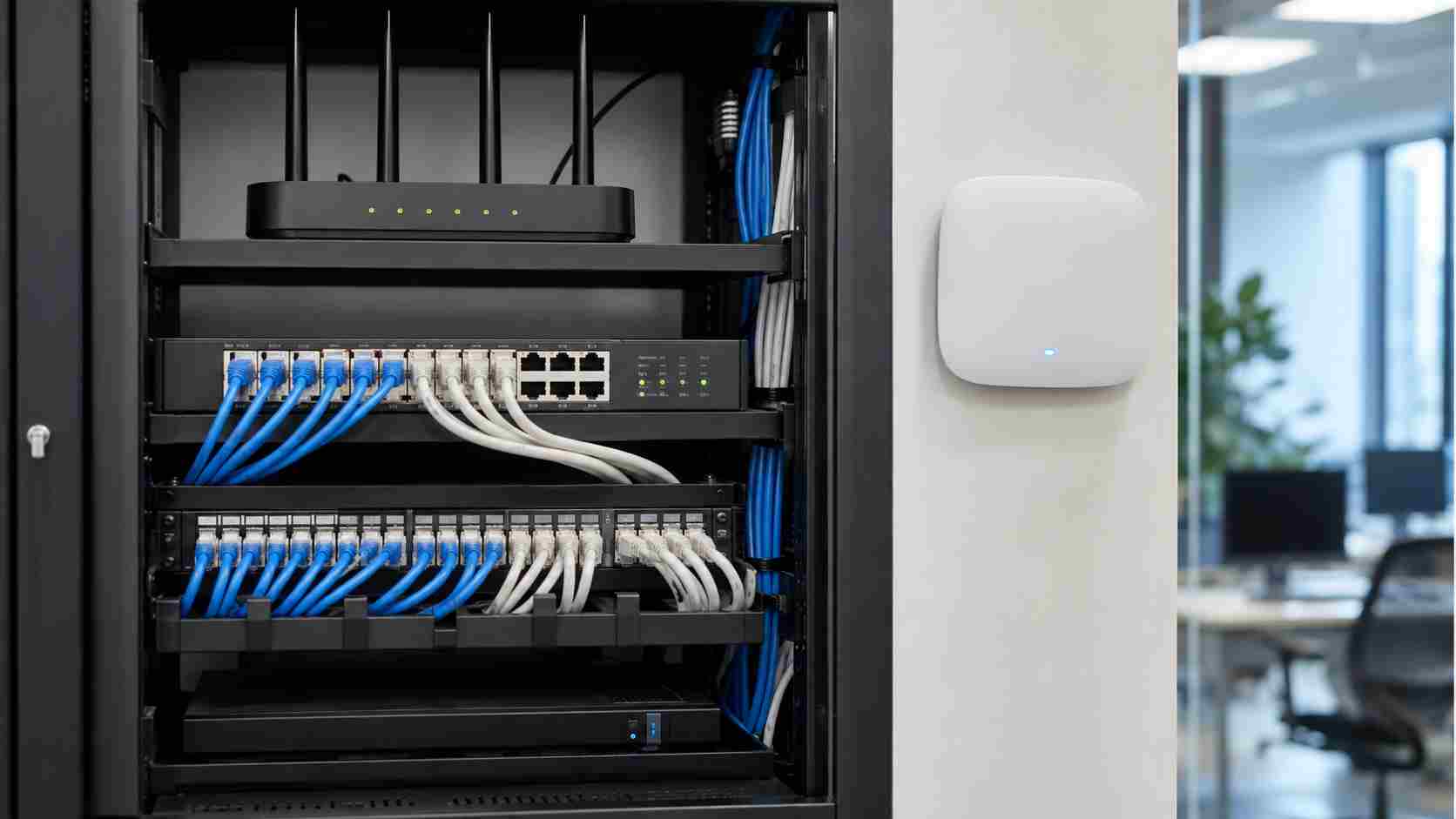
A reliable business Wi-Fi setup usually starts with proper access point placement. Instead of one consumer-grade router trying to cover everything, many businesses need well-placed access points designed for the building layout.
The network should also separate guest access from business systems. Customers and visitors may need internet access, but they should not be on the same network as office computers, payment systems, servers, or shared files.
Bandwidth should be managed around business priorities. Video calls, payment systems, cloud apps, and VoIP phones may need priority over casual browsing or guest traffic.
Equipment should be monitored. If an access point fails, a connection drops, or a device starts causing problems, your IT team should be able to spot it early instead of waiting for employees to complain.
Most importantly, Wi-Fi should be planned around how the business actually works. A medical office, retail shop, restaurant, warehouse, law firm, and contractor office may all need different network designs.
Slow Wi-Fi is not just a technology inconvenience. It is a productivity issue, a customer service issue, and sometimes a revenue issue. If employees keep saying “the internet is slow,” it is worth looking beyond the monthly internet bill and reviewing the whole network.


Himala and his team at Cybernetic Networks have been amazing. We have been a customer of Cybernetic Networks for well over 14 years now, both personally and professionally. Himala and his team are professional, reachable and on the cutting edge of technology. We have enjoyed doing business with Cybernetic Networks for many years and still rely on their knowledge, skills and technology every day
Himala and his Cybernetic team have never let me down! For over 10 years now they have been fixing my technical issues, set up all my new networks and computers and have safeguarded me from any hackers or malware. You can trust this company to navigate you as your company grows and to keep you on track with the latest in security and safety
I am a solo practicing neurologist and have had all my IT needs covered through Cybernetic Networks since 2007. They are the best! All of their tech support staff is extremely knowledgeable and efficient. Just as importantly, they are quickly responsive whenever we need their assistance. I couldn’t be happier with their service and give them my highest recommendation!
I couldn't be happier with Cybernetics - they are experts, always respond quickly , and solves any issues I have.
Cybernetic Networks has been advising and supporting all our IT issues and purchases for the last 18 years. They are very responsive and extremely knowledgeable- always providing us with timely services.
It is not often you find small business companies that are not only rewarding to work with, but also have integrity, truth and skill. I have worked with this company for over 20 years, and the service is outstanding. I can easily recommend that if you need an IT company, this is the one to get. Full STOP! Look no further, you will be happy that you did. Sue Myhelic, Gulf Breeze Real Estate, Naples, Florida.
Himala and his team from Cybernetic Networks, Inc. has been an integral part of our successful retail business for the past 20 years. He is extraordinarily knowledgable and always available for our IT needs. Thanks to Himala and his team we are always up and running.

